
Master Solutions Blog
Master Solutions has been serving the Naperville area since 1996, providing IT Support such as technical helpdesk support, computer support, and consulting to small and medium-sized businesses.


Gaining a true competitive advantage rarely stems from flashy shortcuts or software trends. Outmaneuvering rivals requires sharp operational foresight, quiet system reliability, and an infrastructure that eliminates daily friction. When your technology functions seamlessly and your systems remain secure, your business moves faster than the rest.
0 Comments

When a critical application goes down, your entire business grinds to a halt. You call your software provider, but they blame your internet connection. Your internet provider blames your hardware.
Before you know it, you are trapped in a frustrating cycle of finger-pointing, and your team still can’t get any work done. Let’s discuss how to break this cycle.
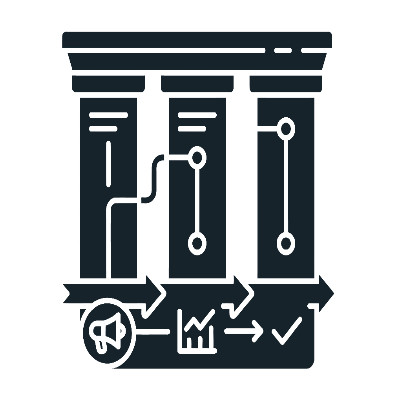
As an IT professional, my primary goal is keeping company systems running smoothly so employees can work without interruption. Three essential factors determine the reliability and safety of business technology: proactive IT support, strong cybersecurity, and minimized downtime.
Let’s take a look at the benefits of each.

Small delays throughout the workday aggregate into hours of lost productivity. Constant tab-switching, hunting for copied text, and managing chaotic screens slow down your staff. You do not need expensive new software to fix this. Windows already includes native features built to streamline your daily workflow.

Outdated workstations cause daily frustration and create security risks across your organization. Rising hardware costs and lingering supply chain delays make full replacement difficult for most operating budgets right now. You need practical ways to keep your existing infrastructure moving efficiently.

Imagine buying a state-of-the-art sports car, leaving it in second gear, and using the back seat purely to store groceries. It sounds absurd, but that is precisely how millions of growing businesses approach their technology every day.

When an organization uses separate applications for internal messaging, phone service, video conferencing, and client email, data fragmentation is inevitable. Staff members lose significant work hours daily toggling between disconnected platforms to locate critical customer requests.
This chaotic digital framework delays client response times, creates isolated communication silences between departments, and introduces unnecessary recurring software fees.

Many small and medium-sized businesses are willingly tolerating massive, hidden technical friction in other areas of their operations—and it’s draining their budgets. Technology is a major operating expense, yet countless organizations continue to pour capital into software licenses, duplicate applications, and emergency support models that offer zero business return.
Let's unpack the two primary areas where your business is likely bleeding cash, and how adopting a proactive posture can transform your technology from a budget liability into a competitive engine.

Imagine walking into a bustling workplace, watching the team lean over their keyboards, completely absorbed in their screens. From the outside, it looks like a symphony of pure, unadulterated productivity, but if you pull back the curtain, you might find they are actually trapped in an invisible operational quicksand.
When your team spends hours sorting through minutiae, they aren't moving your business forward. They are simply managing their inbox—an administrative tax that stalls your ability to scale.

Many IT consultants like to drop massive, terrifying global statistics to try to get business owners to take data backup and disaster recovery seriously. You have probably seen reports claiming that the average network outage costs thousands of dollars per minute.
If you run a local business with 15 or 30 employees, a global enterprise statistic like that does not mean a thing to you. It feels generic, irrelevant, and like a high-pressure sales tactic.

Deploying AI and automation across a business does not automatically improve revenue generation and profit margins. It is common to look at the current software landscape and treat new tools as a shortcut to bypass foundational strategy. Technology amplifies efficiency, but it cannot manufacture value out of thin air.

Navigating business technology right now feels remarkably heavy. It is not just one sudden shift causing the strain, but rather a compounding series of software overhead increases and evolving security threats. Many decision makers find themselves caught in a cycle of paying more for tools while getting less actual utility from them.

Business owners generally maintain a strict watch over payroll and marketing expenditures. When those primary categories see an increase, it prompts an immediate operational review. However, a different type of operational expense frequently expands without oversight, avoiding standard executive scrutiny.
This is the invisible tech tax, consisting of unoptimized cloud infrastructure, dormant software licenses, and legacy telecom services that drain capital without delivering operational value.

Real productivity comes down to removing the digital friction that constantly disrupts the workday. When a company’s everyday computers and software work the right way, employees can finish a lot more work without getting stressed out or frustrated. Maintaining high operational efficiency requires a deliberate look at how systems are configured, deployed, and managed across the entire organization.

Logic might tell us that new and better tools will help us grow, but beware… in practice, adding new applications into a business workflow can often have the opposite impact. Instead of reaching new levels of productivity, your team is waylaid by additional notifications, obstructive updates, and expanding, fragmented work processes. It is, in a word, exhausting.
This mental tiredness is known as tech fatigue, and its impacts permeate your entire business. Let’s talk about how these impacts manifest and what can be done about them.

The antiquated approach to managing information technology support brings a massive amount of financial volatility to your business. You wait for something to break, your team suffers through unexpected downtime, and then you pay an unpredictable invoice to get everything running again. It is an unstable loop that makes budgeting impossible and creates immense operational stress.

The average small business now relies on dozens of different software-as-a-service web platforms to handle daily operations, including billing, customer tracking, and team communication. For your staff, this digital growth has created severe password fatigue. Employees are forced to remember dozens of complex logins, which leads to a constant loop of locked accounts, broken workflows, and lost productivity that stalls your business day.

The average office worker spends nearly 20% of their week just looking for information or dealing with digital interruptions. Between messy folder structures and the constant "ping" of chat messages, it’s easy to feel like you’re busy without actually being productive.
Small changes in how you handle your digital workspace can save hours of frustration every month. Let’s explore three such changes that you and your team could feasibly make today.

Vendor management is one of those corporate terms that sounds intentionally boring. In reality, it’s one of the most powerful ways to reclaim your time.
At its core, it means you have a single point of contact—us—to handle the relationships, the troubleshooting, and the procurement for every tech service you use.
Most business owners treat their office computers like breakroom microwaves: they expect them to work until they physically stop turning on. It’s a logical approach for a toaster, but in the professional world, a computer becomes "old" long before it actually breaks.
Mobile? Grab this Article